
Bloodborne PC – How to Play and Enjoy on Your Computer
Bloodborne PC delivers dark gothic horror, fast-paced combat, terrifying beasts, and mysterious lore, offering players an unforgettable nightmare-fueled adventure.
Ask any Soulslike fan which game they most want on PC and you’ll hear the same name: Bloodborne. FromSoftware’s 2015 action RPG redefined aggressive combat and Gothic horror, earning a devoted fanbase and towering review scores. Even a decade later, the atmosphere of Yharnam, its labyrinthine shortcuts, and its unforgettable boss roster keep new hunters coming back.
So what about Bloodborne PC? While there’s no native Windows release, you can play the game on a computer today through official cloud streaming, Sony’s PS Remote Play, or advanced PS4 emulation—each with its own pros and cons. This guide explains every method clearly, highlights the best settings, and keeps everything above-board and safe.
If you’re here to start hunting tonight, you’ll find quick “download” paths for the PlayStation Plus PC app and PS Remote Play below, plus a high-level look at the ShadPS4 emulator route for experienced users who own the game. Let’s dive in and get you to Central Yharnam.
What is Bloodborne PC?
Bloodborne PC isn’t a separate Windows release; it’s shorthand for playing the PS4 exclusive on a computer through supported or technical routes. For most players, the straightforward options are PlayStation Plus on PC—Sony’s cloud-streaming app when the title is in the regional catalog—or PS Remote Play, which streams directly from your own console to your PC. Both methods use official software, a compatible controller, and a stable internet connection to bring Yharnam to your monitor.
For enthusiasts, the phrase can also include PS4 emulation via projects like ShadPS4. This route aims to run the game locally and may offer higher resolutions or frame-rate experimentation, but it demands powerful hardware, patience, and a legally owned copy. Compatibility and performance vary between builds, so expect tweaking. In everyday conversation, then, “Bloodborne PC” simply means playing Bloodborne on a computer—usually by streaming through Sony’s ecosystem, and occasionally by emulation for experienced, well-equipped users.
Key Features
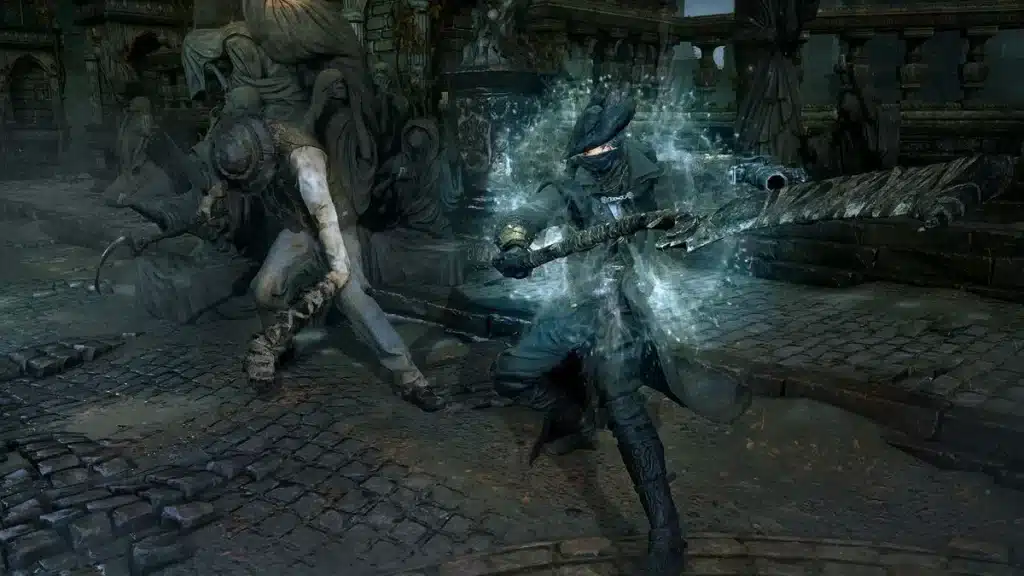
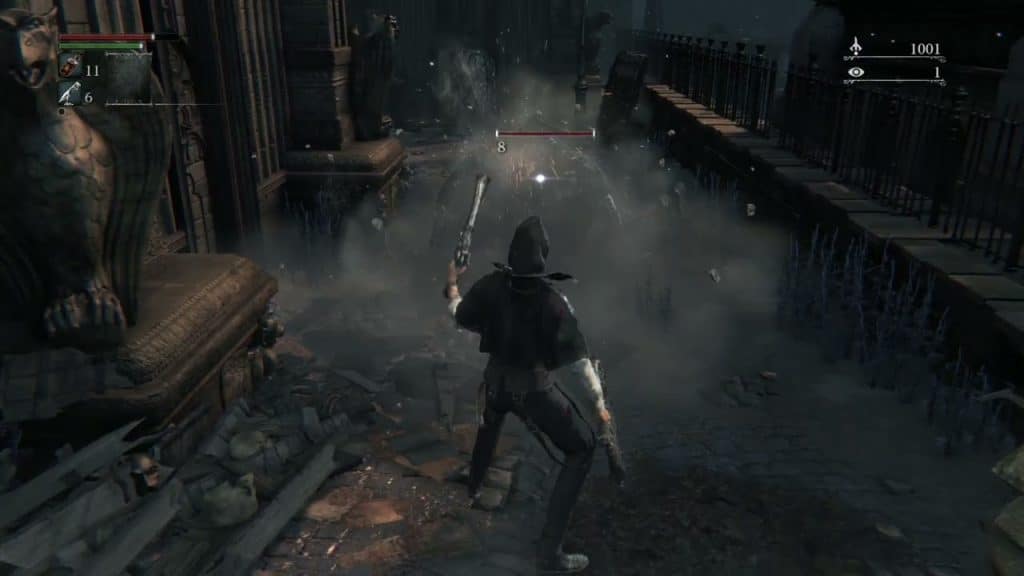
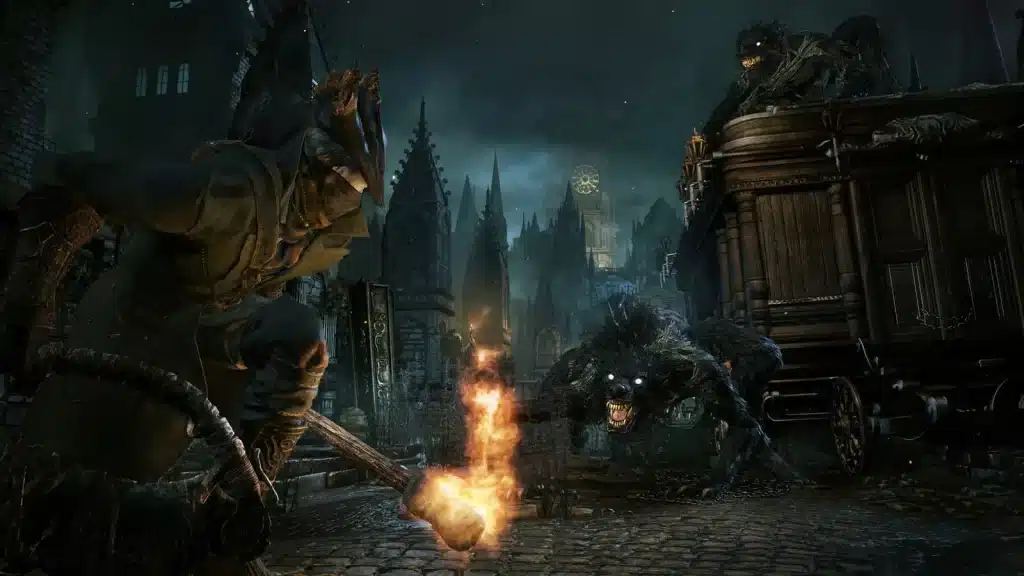
Chalice Dungeons & Long-Term Replay Value
Beyond the main campaign lie Chalice Dungeons—layered, trap-ridden gauntlets with unique bosses, materials, and randomized layouts. They’re perfect for farming upgrade items, chasing rare gems, or stress-testing new builds. Combined with NG+ cycles and self-imposed challenge runs, they give Bloodborne near-endless legs for completionists.
Aggressive Combat & The Rally Mechanic
Bloodborne replaces cautious, shielded play with forward momentum. When you take damage, you have a short window to Rally lost health by striking back. This risk-reward loop pushes you to dodge into attacks, stay in an enemy’s pocket, and convert pressure into survival. New players quickly learn that offense is defense—the faster you counter, the safer you become.
Trick Weapons & On-the-Fly Transformations
Your arsenal isn’t just varied—it’s two weapons in one. The Saw Cleaver snaps from a compact slasher into a long-reaching cleaver; the Threaded Cane flips from rapier to barbed whip. Tapping the transform mid-combo changes movesets, range, and timing, letting you adapt instantly to different enemy sizes and armor types without opening a menu.
Firearms, Parries & Visceral Attacks
Pistols and blunderbusses aren’t for DPS—they’re timing tools. A well-timed shot during an enemy’s windup staggers them, opening a Visceral Attack that deals massive damage. Learning parry windows turns brutal duels into surgical takedowns, rewarding pattern recognition and nerves of steel.
Interconnected World & Smart Shortcuts
Yharnam’s districts, cathedrals, and twisted alleys loop into themselves, revealing elevators, gates, and ladders that stitch back to safe lamps. This Metroidvania-style layout encourages exploration: every detour can unlock a faster route, a clutch item, or a vantage point that makes the next boss run dramatically shorter.
Boss Encounters & Skill-Based Progression
Bosses are mechanical exams—they test spacing, dodge timing, parry discipline, and stamina management. Each defeat teaches a tell; each victory proves you’ve leveled up as a player, not just a character. Stuck? Ringing a Beckoning Bell lets you summon co-operators for assistance, while learning in real time from other hunters.
Deep Buildcraft: Stats, Blood Gems & Caryll Runes
Behind the speed is a rich RPG core. Distribute stats (Vitality, Endurance, Strength, Skill, Bloodtinge, Arcane) to shape your playstyle, slot Blood Gems to tune weapon damage types and scaling, and engrave Caryll Runes for passive bonuses (stamina, vials, discovery, resistances). Even within a single weapon, gem choices can transform how it feels and what it excels at.
Why Play Bloodborne on PC?
Playing Bloodborne on a computer lets you enjoy Yharnam with modern comforts while keeping the game’s ruthless edge intact. A desktop setup means a larger, sharper display, dependable audio, and room for ergonomic gear, whether you prefer a DualShock, DualSense, or a premium headset. You can run guides, wikis, and chat on a second screen, record highlights, and jump between work and the hunt without switching devices. Streaming through the PlayStation Plus PC app or PS Remote Play also removes living-room bottlenecks: no fighting for the TV, no couch distance, and no battery anxiety when sessions stretch late into the night.
Performance flexibility is another perk. On a strong connection, cloud streaming can target crisp 1080p, while Remote Play over wired Ethernet keeps input latency low and frame pacing steady. If you own the game and have the hardware, advanced users may explore PS4 emulation to experiment with resolution, frame rate caps, and visual tweaks—always within legal boundaries. Most importantly, PC play centralizes your gaming life: capture software, voice comms, overlays, and storage live in one place. Customization options are practically endless. You keep the tension and artistry of Bloodborne, wrapped in the convenience only a desk rig can deliver.
Is Bloodborne Officially Available on PC?
No—there is no native Bloodborne PC release on Steam, Epic, or as a Windows download. As of September 15, 2025, Sony still lists Bloodborne as a PlayStation 4 title, and neither Sony nor FromSoftware has announced a Windows port or remaster. That means any headline promising an “official PC version” is premature. If you see store pages claiming otherwise, they’re not legitimate listings for the game.
PlayStation
You can still play Bloodborne on a computer, just not via a true PC port. The official routes are streaming: either through the PlayStation Plus PC app (when Bloodborne is in your regional catalog) or by using PS Remote Play to stream from your own PS4/PS5 to your PC. Both methods use Sony’s apps and a compatible controller. Separate from Sony’s ecosystem, community PS4 emulation (ShadPS4) has made big strides, but it’s not an official release and requires powerful hardware and a legally owned copy.
How to Download Bloodborne on PC
As of September 2025, “Bloodborne” has not been officially released for PC. Nevertheless, passionate fans have created ways to play the game on this platform. It’s crucial to carefully evaluate these options, keeping legal, ethical, and technical considerations in mind.
PlayStation Plus (Cloud Streaming on PC)
If Bloodborne is in your local PlayStation Plus Game Catalog, you can stream it directly to a Windows PC.
- Download the PlayStation Plus PC app and install it.
- Sign in with your PSN account and ensure you’re subscribed to PlayStation Plus Extra/Premium (streaming requires the PC app and a compatible tier).
- Connect a compatible controller (DUALSHOCK 4 recommended).
- Search the catalog, select Bloodborne, and Play to start streaming.
- Note: Catalog availability, stream resolution, and features vary by region and change over time.
PS Remote Play (Stream from Your Own Console)
Already own Bloodborne on PS4 (or play on a PS5 via backward compatibility)? Stream from your console to PC:
- Install the PS Remote Play app on Windows.
- On your console, enable Remote Play and sign in with the same PSN account.
- For best quality, use wired Ethernet (or strong 5 GHz Wi-Fi).
- Connect your DualSense/DUALSHOCK 4 by USB and launch the Remote Play app.
- Select your console, let the app connect, then start Bloodborne on the console and play on your PC screen.
PS4 Emulation (ShadPS4) — Advanced Users Only
ShadPS4 is an actively developed PS4 emulator for PC. Community reports suggest Bloodborne is playable with the right build, settings, and hardware, but results vary. Proceed only if you own the game and understand the legal/technical caveats.
- Get ShadPS4 from the official site and review its compatibility info.
- Use your own legitimately obtained game files (self-made backups). We cannot help with downloads or DRM circumvention.
- Expect tinkering (config, forks/mods, frequent updates) and high hardware demands; stability and performance aren’t guaranteed.
How to Play Bloodborne on PC?
Playing via PlayStation Plus on PC or Remote Play is straightforward: connect your controller, choose 1080p streaming where possible, and aim for a wired connection or at least 5–15 Mbps stable speeds. In Remote Play’s settings, cap frame rate to improve stability if your network is inconsistent.
On emulation, prioritize CPU scheduler stability and VRAM headroom. Reduce internal resolution if you see stutter; lock to 30 or 45 FPS if 60 is inconsistent. Always keep backups of your saves, and update only one variable (driver, emulator build, or mod) at a time to troubleshoot effectively. Community posts report playable performance even on mid-range GPUs with the right tweaks, but your mileage will vary.
System Requirements (PC)
Because there’s no native Windows port, requirements differ by method:
PlayStation Plus on PC (Cloud Streaming App)
- Minimum: Windows 8.1/10, Intel Core i3 2.0 GHz, 2 GB RAM, 300 MB storage, sound card, USB port
- Recommended: Windows 8.1/10, 3.5 GHz Intel Core i3 / 3.8 GHz AMD A10 or faster, 2 GB+ RAM, 300 MB+ storage
- Network: 5 Mbps minimum; wired connection recommended
- Controller: DUALSHOCK 4 (some XInput pads may work but are not guaranteed)
PS Remote Play (Streaming from Your Console)
- OS: Windows 10/11 (64-bit)
- CPU: 7th-Gen Intel Core or newer
- RAM/Storage: 2 GB+ RAM; 100 MB+ free space
- Network: 5 Mbps minimum; 15 Mbps recommended
- Controller: DualSense / DualSense Edge / DUALSHOCK 4 via USB
ShadPS4 Emulation (Indicative Only — varies by build)
- Baseline Target: 6-core modern CPU, 16–32 GB RAM, SSD, 8 GB VRAM GPU (e.g., RTX 3060/RX 6600 XT or better)
- Notes: Community tests show 60 FPS possible on certain configs and updates—even on older GPUs in specific cases—though stability and accuracy will vary and may require forks/mods.
FAQs
Conclusion
There’s still no native Bloodborne PC port, but you have solid ways to experience Yharnam on a computer today. For most players, PlayStation Plus on PC and PS Remote Play are the simplest, official paths; advanced users with legitimate copies may explore ShadPS4 emulation with the usual caveats. Use the download button on this page to grab the official PlayStation apps and start your hunt—may the good blood guide your way.